


Intellectia: AI Trading Signal
4.5111.00 Reviews
App Specs
- Version
- 1.9.14
- Updated On
- License
- Free
- Downloads
- 50,000+
- Developer
- Intellectia.ai
- Categories
- Finance
- Platform
- Android
Screenshots

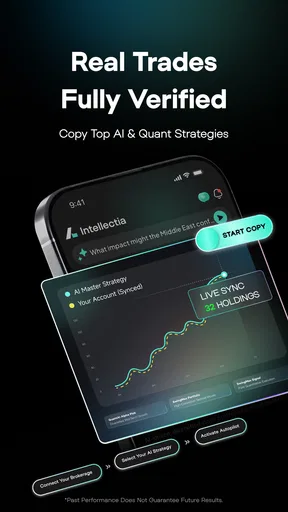
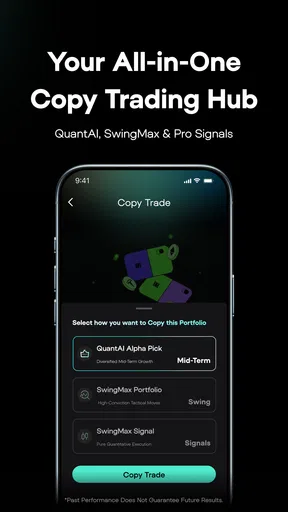
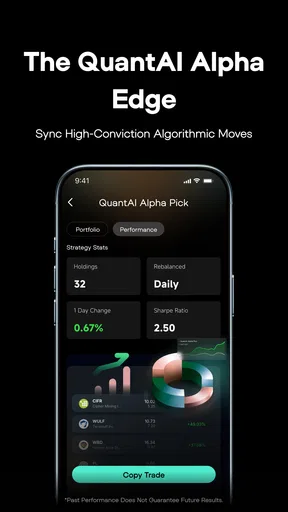
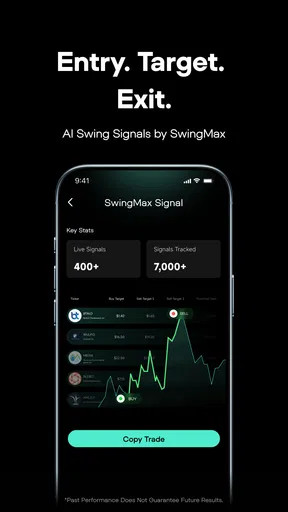
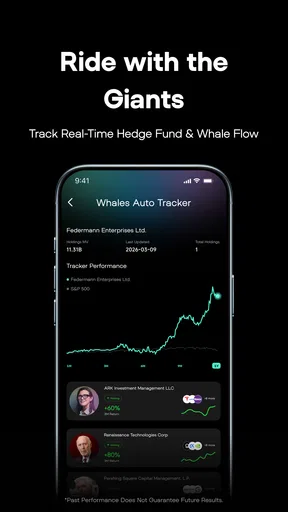
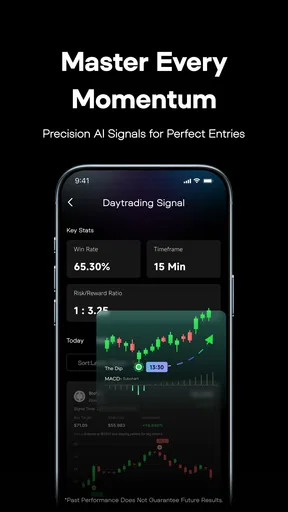

 Analysis by AppCompare
I’d treat Intellectia: AI Trading Signal as a research companion, not a shortcut to profitable trades. It is a finance app from Intellectia.ai, and its AI-led analysis is intended to help users follow market activity and consider trading decisions. That distinction matters: a signal can focus your attention, but it cannot know your financial situation or remove the risk of a poor call. I find the app most useful when it gives me another way to examine a market, rather than when I expect it to tell me exactly what to buy or sell.
Where a first session can feel unclear
Getting started with a market-analysis app can be less straightforward than opening a news feed. A new user may wonder which markets to follow, what a signal is meant to communicate, or whether an alert requires immediate action. I would take a little time to understand the app’s terminology and the context around each insight before relying on it. If an item is unfamiliar, treat that as a reason to investigate, not as a command to trade.
There is also a difference between a timely notification and a complete explanation. A real-time prompt can draw your eye to a change, but you still need to check what the underlying asset is doing and whether the information fits your own plan. I would avoid making a quick decision from a phone alert alone, especially if I had not already decided how much risk I was willing to accept.
Setup checks that make the experience more useful
Before depending on notifications, I’d review the app’s available preferences and choose a manageable watchlist or focus. If every market or asset type is competing for attention, alerts can become noise; a narrower scope makes it easier to notice what is relevant. Keep the first setup simple, then adjust it as you learn which information actually helps you make better questions and comparisons.
It is worth checking that the app is current and that your device’s notification settings allow the alerts you want. Intellectia is free to download, though it offers in-app purchases ranging from $0.49 to $849.99 per item, so I’d also review any purchase prompt carefully before confirming it. The app is rated for Everyone, but the subject itself involves financial risk; that age label should not be mistaken for a recommendation that trading is suitable for every user.
First Impressions
So, what’s the deal with this app? At first glance, Intellectia: AI Trading Signal sports a sleek and intuitive design. You don’t need to be a tech guru to find your way around. The interface is clean, and the navigation is straightforward. Even if you’re a newbie, you’ll feel right at home.
Features Galore
Here’s where things get interesting. The app is all about providing accurate trading signals using AI technology. You’re essentially getting cutting-edge insights without having to do the heavy lifting. The AI algorithms analyze tons of market data to give you real-time updates. It’s like having an army of data analysts working for you 24/7.
Worth Reading Before You Choose

EA SPORTS FC Mobile 26 Is a Bigger Football Game, but It Takes Time

Flipboard Shows What News Apps Must Do Beyond the Feed

Switching to Android Auto Means Rethinking Your Driving Routine

Google Calendar Makes a Crowded Week Easier to Manage

Ludo King Makes the Most of the Minutes Between Plans

Baby Panda World Brings Quick Play to Modern Phones, but Its Game Library Feels Busy
- Real-Time Alerts: No more missing out on important market shifts. The app sends you notifications the moment a significant change occurs.
- Customizable Preferences: Tailor the app to suit your trading style. You can adjust the settings to focus on specific markets or asset types.
- Detailed Analytics: Dive into comprehensive reports and analytics to understand market trends better. It’s all about making informed decisions.
A calmer workflow for using signals
My preferred approach is to decide what I want to learn before opening an alert. For example, I might compare a signal with the broader movement I have already been watching, then note whether it supports or challenges my view. This keeps the tool in a supporting role and makes it easier to spot when I am reacting emotionally to a sudden price move.
A practical routine could be to review alerts at a set time, save the ones that merit further reading, and leave the rest alone until there is a clear reason to revisit them. That is often more useful than checking every notification the moment it arrives. It also gives you a way to judge whether the app is helping: after a few sessions, ask whether its insights are adding context or simply increasing the number of decisions you feel pressured to make.
User Experience
Using the app is a breeze. You don’t get bogged down by unnecessary features. Everything is designed to enhance your trading experience. From setting up your account to receiving your first signal, it’s smooth sailing all the way. The app also offers a demo mode, which is perfect if you want to get your feet wet before diving into real trading.
Another neat feature is the community forum. Here, you can connect with other traders, share experiences, and pick up tips and tricks. It’s always great to have a support network when navigating the volatile world of trading.
Who benefits most, and who may prefer another tool
I can see this being a useful fit for someone who already follows markets and wants AI-generated analysis alongside their own research. It may also suit a curious beginner who is willing to learn the basics and use a demo mode as a low-pressure place to explore the interface. Neither case means the app replaces financial education; the value is in having another perspective to examine, not outsourcing judgement.
If your main need is placing and managing orders, a brokerage app is the more direct choice. If you want long-form company research or fundamental financial statements, a dedicated research service may be a better fit. Intellectia’s appeal is the combination of signals, market insights, and trading-oriented tools, so it is less compelling for someone who wants a simple portfolio tracker or who prefers to make decisions solely from primary company information.
For an everyday example, imagine checking markets during a lunch break and seeing an alert about an asset you already follow. Rather than trading immediately, I’d open the related analysis, compare it with my existing notes, and decide whether it changes anything. If it does not, I can close the app and carry on. If it raises a useful question, I can investigate later when I have time to think clearly. That small pause is a meaningful safeguard against confusing speed with insight.
Workflow recovery and common snags
If an alert does not appear, I would first check whether notifications are enabled both in the app and in the device settings, then confirm that the relevant preferences have not filtered out the market I’m following. If information looks stale or a screen behaves oddly, closing and reopening the app and checking for an available update are reasonable first steps. The current version is 1.9.11, and the listed minimum operating-system requirement is version 7.0.
When a session feels confusing, I would return to one asset or topic rather than changing several preferences at once. That makes it easier to work out whether the issue is a setting, an unfamiliar term, or simply too much information on screen. If the app offers a demo route, it is sensible to use that for orientation before treating any signal as part of a real-money decision.
When the app may not be the problem
Markets can move quickly, and an alert cannot guarantee that a price will still be at the same level by the time you read it. A delayed or unexpected outcome is not automatically proof that the app has malfunctioned; it may reflect changing market conditions or the limits of interpreting a signal. I would check the time and context of the information, then compare it with another reliable source before deciding what happened.
Likewise, a string of alerts can feel overwhelming even when the app is working as intended. Narrowing preferences and setting boundaries around when you check the market can help. If trading itself is causing stress or encouraging impulsive choices, stepping away is a better response than trying to solve the feeling with more notifications or a paid feature.
Performance and Reliability
The app’s performance is top-notch. I haven’t experienced any lags or crashes, which is crucial when you’re dealing with real-time data. The developers seem to have put a lot of effort into ensuring the app runs seamlessly across different devices. Whether you’re using Android or iOS, you’re in for a smooth ride.
Security is another highlight. Your data is encrypted, and the app has robust security protocols in place. You can trade with peace of mind knowing your information is safe.
What to expect before committing
Intellectia is free to install, while some in-app items are paid. I would explore the free experience first and only consider a purchase after identifying a specific need it addresses. The range of possible purchase prices is broad, so check the displayed terms for the particular item rather than assuming every tool or option costs the same. A paid upgrade is not a substitute for understanding the analysis or managing risk.
The app has an average rating of 4.5 from around 1.1 thousand ratings, with more than a hundred written reviews, and it has passed 50 thousand installs. Those figures suggest that other users are engaging with it, but they do not tell me whether its approach will suit my habits. It was released on May 17, 2025, and the developer is Intellectia.ai. I would use popularity as background, not as evidence that a signal is right for a particular trade.
The Verdict
At the end of the day, Intellectia: AI Trading Signal is a fantastic tool for anyone looking to up their trading game. Whether you’re a seasoned trader or just starting, this app offers valuable insights that can help you make informed decisions.
The combination of AI-driven signals and user-friendly design makes it a standout in the trading app market. So, why not give it a shot? You might just find it’s the trading companion you never knew you needed.
Head over to the app store, download Intellectia: AI Trading Signal, and see for yourself. Happy trading!
My practical verdict
I’d recommend trying it if you want a mobile way to follow AI-led market analysis and you are comfortable treating signals as prompts for further thought. The strongest use case is a person who already has a process and wants an extra stream of information to compare against it. The weakest is someone hoping for guaranteed calls, hands-off investing, or a replacement for a broker or a careful research routine.
My main advice is to keep the first experience deliberately modest: follow a limited set of interests, learn how the analysis is presented, and decide in advance what would make an alert worth acting on. That gives you a fair test of whether the app improves your understanding without letting a notification set your priorities. Used that way, Intellectia can be a handy companion; used as an authority, it asks for more trust than any signal tool should receive.
Pros
- Accurate trading signals with high success rate.
- User-friendly interface for easy navigation.
- Real-time alerts to seize market opportunities.
- Customizable settings for personalized use.
- Comprehensive analytics for informed decisions.
Cons
- Requires subscription for full features.
- Limited to certain financial markets.
- Occasional app crashes reported by users.
- Requires stable internet connection.
- Advanced features might overwhelm beginners.
FAQs for Intellectia: AI Trading Signal
What is Intellectia: AI Trading Signal and how does it work?
Intellectia: AI Trading Signal is an advanced application designed to assist traders by providing AI-driven trading signals. The app analyzes market data using sophisticated algorithms to predict potential trading opportunities. Users receive real-time alerts and insights, helping them make informed decisions in the fast-paced world of trading.
Is Intellectia suitable for beginners in trading?
Yes, Intellectia is designed to cater to both beginners and experienced traders. The app offers a user-friendly interface and educational resources to help newcomers understand trading concepts. Additionally, the AI-generated signals provide guidance, making it easier for beginners to navigate the complexities of trading.
What platforms support Intellectia, and is there a cost involved?
Intellectia is available for both Android and iOS devices. While the app offers a free version with basic features, there are premium subscription options that provide enhanced functionalities and more detailed trading signals. Users can choose a plan that best suits their trading needs and budget.
How reliable are the AI trading signals provided by Intellectia?
The AI trading signals generated by Intellectia are based on cutting-edge algorithms and extensive market data analysis. While the app strives to offer accurate predictions, it's important to note that no trading signal can guarantee success. Users should consider these signals as one of several tools in their trading strategy.
What security measures does Intellectia have in place for user data?
Intellectia prioritizes user security and data privacy. The app implements robust encryption protocols to protect personal and financial information. Regular updates and security audits are conducted to ensure compliance with industry standards. Users can trade with peace of mind knowing their data is secure.


